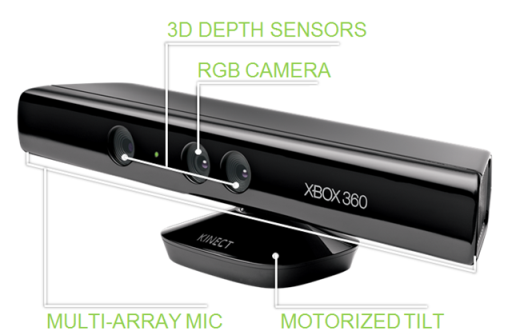
Just purchased a used Microsoft Kinect on Ebay for $75 in hopes of integrating this as a robotic vision device. In the mean time, I got it hooked up to Ubuntu for a sort of "Minority Report" Mouse Control.
Here is what I did to get it installed with Ubuntu Meerkat 10.10:
1. Add the PPA for Freenect from
https://launchpad.net/~arne-alamut/+archive/freenect
2. Install the following:
$ sudo apt-get install freenect libncurses5-dev libglut3-dev libX11-dev libxtst-dev libxmu-dev cmake git
3. Plug in Kinect to usb port on machine (unplug/replug if it already was)
4. Test the installation
$ freenect-glview
5. Should see a depth / video feed appear on the screen confirming the usb driver works
6. To get mouse cursor working (from
https://github.com/Ooblik/Kinect-Mouse):
$ mkdir ~/kinect
$ cd ~/kinect
$ git clone https://github.com/Ooblik/Kinect-Mouse.git
$ cd ~/kinect/Kinect-Mouse
$ mkdir build
$ cd build
$ cmake ..
$ make
7. Run mouse client
$ ./kmouse
8. Enjoy mouse cursor control.
*Notes: The mouse control only works at a certain depth range. The video window will show whatever is "in-range" by highlighting it in red. To "click" you need to stop moving briefly and it will auto left-click.
As much as you would like to wave your open hands in the air to recreate Tom Cruise in the movie, I find that just using a single finger tip in range is usually the best method of control. :)
 1943
1943