Friday, September 23, 2016

Netomity - Opensource Home Automation System - .NET / C# / Powershell

Netomity


Netomity is an extensible device communication and automation system written in .NET and configured via Powershell. It's uses include home automation and lighting control but is certainly not limited to that. It is supported on any platform that support .NET Core ( Windows, Mac OS-X, Linux, etc )

Supported

Netomity currently has support for the following hardware interfaces with more planned in the future.

Future

FEATURES

  • Written in .NET / Powershell
  • REST API
  • Local Web access
  • Unique language to describe devices and actions
  • Smart objects: Doors, Lights, Motion, Photocell etc.
  • Optional “Mainloop” programming, for more complicated control
  • Optional “Event driven” programming, for complex actions when a device state changes
  • Time of day on and off control
  • Delays for time off
  • Idle command, device will return to "idle" state
  • Map one command to another with optional source and time
  • Good hardware support with more coming
  • Very easy to add new hardware drivers
  • Much more

Wednesday, October 30, 2013

Cable (and Optical Media) Free for 4 Years

Our family has been cable free for close to 4 years now and just wanted to share how we did it.   I advocate cloud based technologies in the business and aside from the privacy concerns (which dont get much better with local storage anyway) it has worked out well personally.

It all started when we simply got tired of paying for channels we dont use, paying/leasing for local content storage devices, frustrated with poor quality content and commercials our kids were exposed to, and wondering why content needs to be live when almost 100% of our viewing was DVR'd previously.  We simply wanted entertainment "our way".

While cord-cutting it isnt necessarily either the cheapest or easiest way to get access to content, we are reminded of the quality of entertainment difference when visiting a Cabled friend.  We have access to almost all movies / series / music / YouTube commercial-free, on-demand instantly, curated, beautiful HD quality, and accessible via any device in our house or in our possession. 

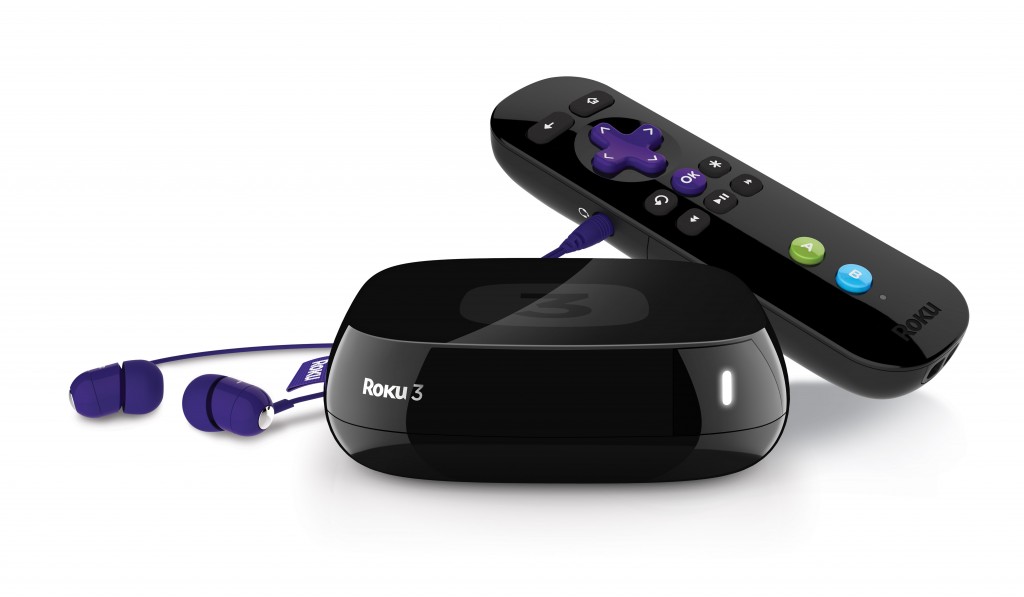
It started for us in 2010 with Roku, possibly one of the best initial cord-cutting devices ever produced.   Having convenient access to Netflix on-demand was a huge benefit alone at the time with an unexpected ability to curate the shows made available to our younger daughter via restrictions on the watchlist.   Soon after Amazon instant video augmented our Netflix selection with pay-per-view content that wasnt available anywhere else.  In the months following, we used cable-tv less and decided to give it up completely shortly after.

We now enjoy our Roku and Chromecast boxes on every TV giving us access to Netflix / Amazon VoD / Hulu Plus / Vudu / Ultraviolet / Google Play / NASATVPandora / SmugMug.   

Sports / News / Olympics - Anything that we need to view live or not available via internet content delivery comes over Broadcast HDTV.   We simply use the existing Coax wiring in the house to provide that to all devices that need it.    We watch the news every morning, saw most of the Olympics, and watch a few other sporting events on occasion (Football / NASCAR).    If I have the urge to watch something not available, I usually head to a pub and enjoy the event with others ;)

After a week of research I selected the ClearStream 2V  antenna for our Attic.  This simple looking antenna had great reviews and I have to say works extremely well over the 4 years we have owned it.    In north Charlotte we pull in over 30 stations (some even in Greensboro) and the HD quality is absolutely fantastic!    In fact, aside from some BlueRays, watching an NFL game in uncompressed Broadcast HD will blow your mind compared to the compressed mess that is available via TimeWarner.

To setup the antenna direction I initially used a few online services such as AntennaWeb, but found that the easiest method was simply placing the antenna on the rafters, taking a small HDTV upstairs (something similar to this that I got for $50 at target once), and rotating the antenna slowly watching the screen to achieve the best mix of channels I needed.    There are a few stations that I could not pull all in together and thought if I cared that much about Broadcast TV I would eventually purchase an additional antenna and combine them in the attic at a different direction.

In conclusion,  we don't have any media stored locally whatsoever.  We dont even have a DVR, although at times we may have a cached movie on an Android device. 


TIPS: 
  • I will mention though that if distributing an antenna to multiple TV's or via long > 40ft distances I would highly recommend using an amplifier as close as possible to the antenna.   You want to get the amplifier close to avoid amplifing noise generated from the long cable run.  I re-used an existing Motorolla Cable Amplifier which surprising works well in the Broadcast HDTV frequency range as well. 
  • It didnt dawn on me till much later after purchasing a few movies from VuDu that you can get them far cheaper by buying the UV codes from various websites such as UVSwap.com
  • Old Rokus still support a "BETA" front-end for Netflix which restricts the selection to just movies from your watchlist if you are into content filtering for young kids.  This option is available from the system / netflix screen.
  • Vudu is the only cross-platform (Roku / Android / PC) downloadable movie format of the services I listed.   We tend to buy movies only from here although Google Play is a close second.
  • Get a surge-suppressor for the antenna in case of lightning.  Place it near a ground (green wire) somewhere between the antenna and the point at which it enters the house wiring.
  • You will need approx 4Mbps per TV if watching 1080p simultaneously


Monday, July 1, 2013

Thunderstruck from the Cloud

So there we were enjoying this weeks Family Movie of "Fiddler on the Roof" when all-of-a-sudden a lightning bolt stuck so loud it shook dishes in the house and all our UPS devices cried themselves awake from their year long slumber.     Power was restored after a few seconds, our Roku TV suddenly stopped, I could smell a faint smell of smoke, and thus began our new life without internet.

Needless to say there was a brief moment of panic at the smell of smoke, but years of electrical  experiments led me to recognize the distinct smell of "magic" electrical smoke and calmed everyone down saying that it was probably just a component blown in an electronic device.

I started to take mental inventory of what I thought could go wrong and what was indeed wrong.   I have installed many home automation / av systems spanning almost 15 years and learned long ago to install a whole house Surge Suppressor  http://amzn.com/B00081K55Q  everywhere I go.   Other than the a temporary (I thought) knock-out of the Roku nothing else seemed awry.

I assumed we would survive the experience unscathed, but the lingering smell of burnt capacitors was telling me otherwise.  I headed to my AV closet where I then saw my Ubuntu Server Monitor with a "disconnected icon" on the tray indicating something terrible has happened with my wired network.  I glanced at my primary gigabit switch and found the link lights pulsating with weird levels of intensity that I had never seen before indicating this one has seen its last days.  Following the path I looked at the Asus RTN-16 router no longer indicated any ethernet link lights.   Going a little further noticed the Timer Warner Ubee modem was completely dark without a single glowing indicator of life and a faint trail of smoke rising from its vent.  Overall, I was surprised to see that the surge could travel from the Coax into and across my CAT5 network destroying everything in its path.

With the knowledge now that lightning had entered my house via the Coax cable carrying my internet signal, I was still puzzled as to how it got around ground block located in the service box.  Well the next morning I found the answer to that question real quick.   The cable running from the service box into the house was obviously added (not to code) by the previous home owners as it ran along the edge of the house, behind a gutter, and into a crawlspace vent.   Upon inspection of this coax wire I found that were it had touched the gutter it was a fusion of exploded metal and charred plastic.  Evidently the lightning must have struck the gutters / water in them and decided to make the leap into my Coax to get to ground.  
I re-ran a new RG6 line from the service panel into my electrical closet, bought a new cable modem, replaced the switches and router, however, the signal strength isnt good enough to link up now.  This is indicating to me that something may have happened beyond the service box on my house.   Feeling defeated I called TW for a service appointment which by now is already booked out till Sunday evening.

It made me realize just how much of our life was on the cloud now: No Internet, No VoIP home phone, No Streaming TV service, No Movies, No Music, and No online gaming.   At least our board and card games still work ;)


Thursday, May 16, 2013

Beautiful Flying Robot

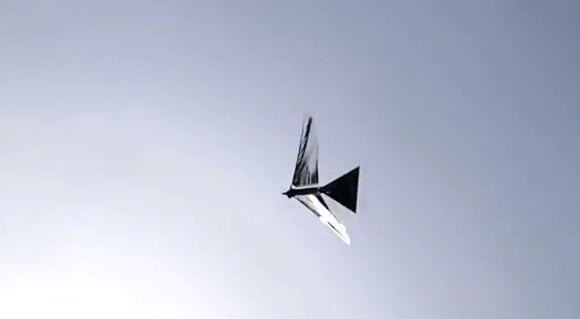
Just wanted to share what I consider to be an amazing effort of robotics.   The robotics researchers at UMD have perfected the ability to fly a self-contained robot using mechanics of real birds.

I have been watching various groups over the years experimenting with similar designs that either could only flap their wings in tandem or prototypes that were attached to an external power source.

Watching other birds in the video interacting with it is truly impressive!


 http://singularityhub.com/2013/05/14/video-shows-robo-raven-diving-spiraling-flipping-and-getting-attacked-by-a-hawk/

Sunday, March 10, 2013

Hybrid and Electric Cars -- Are they worth it?

Updated(2020):
Since the introduction of Hybrid cars in the US market with the Honda Insight in 1999 and release of plug-in electric car GM Impact EV1 in 1996, I have long considered the benefits of owning one.   The promise and perception of high MPG and helping the environment has been extolled for years since.  Does this really add up to being beneficial to owning one?

Fuel Savings (aka Save me money):

In order to understand the fuel savings we need to factor both the initial and recurring costs of operating the car.   Lets model out two choices available on the market today for my 50 mile daily commute:

  • Chevy Volt
    • MSRP: $39,995
    • Recurring:
      • Cost per day: 
      • Cost per year:
        • $3 * 5days * 52 weeks = $780.00
  • Hyundai Veloster
    • MSRP: $17,999
    • Recurring:
      • Cost per day:
        • 50 gas miles = $3.70 @ 31 Mpg = $5.96
      • Cost per year
        • $5.96 * 5 days * 52 weeks = $1550
  • DIFFERENCE
    • MSRP: $22,000
    • Recurring: $770/year
Obviously the plug-in EV gets better recurring costs, but factor in the initial price difference of $22,000 and I would need to drive the Chevy Volt for over 28 years to start saving money!

Environmental Impact:

According to EIA.gov , Georgia electricity comes from 30% coal fired (1001g/KwH), 34% natural gas (443g/KwH), and 31% Nuclear (66g/KwH) plants, so lets look at the environmental impact for both of the cars listed above:


    For a yearly commute, amount of CO2 produced
    • Leaf (EV) - 1,908 Kg
    • Volt (Hybrid) - 3,068 Kg 
    • Veloster (Gas) - 7,277 Kg 

     Summary


    • I am publishing this out to the internet in order to get feedback to help catch any errors in my logic and will happily adjust anything that is brought up.  


    Interesting Reading:


    Saturday, March 2, 2013

    ToneMatrix - Mini Flash Web Sequencer

    Just stumbling around the WWW this morning and ran across this cool little Flash based audio sequencer called "ToneMatrix" created by Andre Michelle:

    http://tonematrix.audiotool.com/


    A melody that I created this morning:
    http://tonematrix.audiotool.com/_/400.0.40.0.209.0.20.0.8g.0.18.g0.0.g0.255.20


    Sunday, February 24, 2013

    Pytomation 1.0 Released

    We are pleased to announce the 1.0 release of Pytomation.

    Pytomation is an extensible open source automation system written in Python. It's uses include home automation and lighting control but is certainly not limited to those functions.

    Pytomation features include:
            - Written in Python (Multiplatform)
            - REST API
            - Unique language to describe devices and actions.
            - Smart objects: Doors, Lights, Motion, Photocell etc.
            - Regular python programming in Mainloop for more complicated control.
            - Easy interface to web browsers and other technology.
            - Time of day on and off control.
            - Delays for time off.
            - Idle command, device will return to "idle" state.
            - Map one command to another with optional source and time.
            - Good hardware support with more coming.
            - Very easy to add new hardware drivers.
            - Local Telnet and Web access.
            - Good documentation complete with examples.
            - Much more.

    Pytomation currently has support for the following hardware interfaces
    with more planned in the future.

            - Insteon / X10 (2412N, 2412S)
            - UPB (Universal Powerline Bus) (Serial PIM)
            - JDS Stargate (RS232 / RS485)
            - Weeder Digital I/O board (Wtdio/RS232)
            - W800RF32 X10 RF receiver (W800/RS232)
            - Arduino Uno, digital and analog

    Future:
            - Z-Wave (Aeon Labs) DSA02203-ZWUS
            - CM11 X10 control
            - Others as requested.


    Download links and documentation are at the bottom of the web page.
    Please use the mail list for help at  this time, information about
    subscribing can also be found on the home page.


    Downloads, docs and mail lists http://www.pytomation.com

    Cheers and enjoy.

    Raspberry Pi Installation into Neato XV11 Robot

    Just put the finishing touches on installing the Raspberry Pi embedded Linux computer into the Neato XV11 robot.

    Following the guide at Dave's Home Robotics Notes I disassembled the Neato Vacuum, tapped the battery for 5V using a DC-DC converter per Ben's idea , and installed a Raspberry Pi in place of where the dustbin usually goes.

    Cable management is extremely important in this configuration as the Pi is more consumer friendly with its plugs which means a bit of pain for us electronic geeks wielding soldering irons.   Having said that I didnt want to solder directly on the Pi board, so I managed to jam most of the cables / DC-DC into the blower area underneath the turret.  Because the Laser ( LIDAR ) is so close to the top of the robot, I needed to make sure everything in the dustbin area is as flat as possible.

    Unfortunately I discovered that there doesnt appear to be an API command for the robot to return to its charger, and  signal strength may not be available through its API as well for a more obvious solution, so I would appear that my first task is to get a spatial Neural Network setup for this specific purpose.  More on this later....


    Friday, January 11, 2013

    Lowes Smart Home Product - IRIS

    Last Summer Lowe's introduced a new smart home product called IRIS.  I am an avid supporter of Home Automation projects and the price point for an ethernet device that does z-wave and zigbee for $99 was too compelling so I bought one.   

    Looking to integrate this hardware into my existing Pytomation / Misterhouse home automation system, I decided to see how "open" they are about third party integrations.

    What I have found is that they have a REST based API available from their own servers in the cloud, however, I could not find a way to access this device locally within my own network.

    I spent an hour or so sharking the device to see what was available and here are my results:


    • The device is created by AlertMe (has their MAC vendor address)
    • It has TCP ports 80 and 111 open (neither one of them does standard HTTP on it though) Unknown protocol.
    • It communicates with imgserver.irissmarthome.com for firmware updates on HTTPS
    • It communicates with hubserver.irissmarthome.com for general communication on HTTPS
    • It appears to run Linux 2.6 based on nmap -O
    • It appears to have support for SafetyNet protocol (UDP port 4000) Dont know much about it other than is supports secure connections for embedded devices on ethernet.
    • I have heard that it has a TTL serial port on the board, but login password is unknown.

    Unfortunately for now, there does not appear to be a way to interface with the hardware component directly (and without their monthly fee).   This would leave my system to the mercy of internet connectivity to their cloud infrastructure and the lag associated with it, so I have decided to halt any further development with the devices.


    Sunday, January 6, 2013

    Install Ubuntu on Rockchip MK803-III ARM MiniPC

    My daughter and I are beginning a quest to build a new robot based on a Neato XV11. Part of the "brains" of this machine will be a $60 Rockchip MK803-III RK3066 mini-pc. It ships with Android 4.1 "Jelly Bean" pre-installed, however, for the purposes of this project I will need a Linux Kernel and User-space that is far more capable.

     A developer by the alias "AndrewDB" has taken the time to configure a kernel, assemble a filesystem, and test it all for the RK3066 common platforms. This is what I will be using as the platform for my software development.


    Steps to install Ubuntu 12.10:

    Root the Android Installation:

    • The way I have found to get this done is to install a new Android ROM.   I have choosen to use popular ROM by the developer with the alias "Finless" called "UG802 Finless ROM 1.6 'custom' JellyBean" Obtained Here
    • The instructions of that thread pertain mostly to installing this on the UG802 based device with a ICS ROM already installed.  I suspect due to the 802-III already having JB on the device there is a crucial step that is missing:
      • There is a step in the ROM installation where you need to be able to put the device into Flash Mode.   The supplied RKFlashTool with that ROM does not work on our device to do that.  
        • You will need to additionallty install the RKBatchTool
        • If selecting the "Reboot To Flash Mode" button fails (as it did for me), run the RKBatchTool, and click the "Switch" button. 
        • The device will reboot and go to a blank screen and the RKFlashTool will then find the device correctly.  Continue following the instructions from the Finless ROM.
    • After completing the installation you will now have a new Android ROM that is pre-rooted.
    Flashing Ubuntu:
    • From the rooted Android ROM:
      • Run the included "Reboot" application to get back into Flash Mode
    • Flash and follow the instructions provided by AndrewDB here.
    You should now have a dual boot Android JB and Ubuntu 12.10 computer.


    Wednesday, October 3, 2012

    How To Respond to Negativity

    Came across a good article that interested me and thought I'd reshare to others whom may derive some advice from it as well.

    How to Respond to Negativity | Psychology Today

    Saturday, September 15, 2012

    Using the FitBit Ultra Activity Tracker with Ubuntu 12.04 Precise Pangolin

    Just bought the FitBit Ultra Activity Tracker, needed to get it working with my Ubuntu 12.04 computers, and here is my tale:

     A google search yields an opensourced project started by Kyle @ Openyou.org and continued along by Benoît Allard that supports uploading data from the tracker to the FitBit personal website.

    Steps I used to install:

    • Registration
      • If the device hasnt already been registered with FitBit website, unfortunately you will need to by using the windows software link provided by the device.  I have an emergency WinXP vm for just such purposes.   After registration you do not need it running anymore
    • Get the source from github (as superuser):
      • apt-get install git
      • mkdir /opt
      • cd /opt
      • git clone https://github.com/benallard/libfitbit.git
      • cd libfitbit
    • Allow the device to be used by non-superusers
      • cp ./platform/linux/* /etc/udev/rules.d
    • Install python libraries needed:
      • pip install pyusb
      • apt-get install python-yaml
    • Run the service:
      • python /opt/libfitbit/python/fitbit_client.py
    Done!  Now the device will be syncing with the website as long as the service is running.

    Wednesday, August 29, 2012

    Asterisk (VoIP PBX) on the cloud with Amazon EC2 (NAT)

    In my continuing effort to eliminate the need for a server at my home, I took on moving my Asterisk installation (of just about 10 years) locally run on a Linux server to the cloud using an Amazon EC2 micro-instance.

    Background:  Home automation has always been my hobby and a part of that has extended into my phones.  What started off as a simple task of announcing Caller ID over the home intercom, turned in to  an elaborate Session Initiation Protocol (SIP) based Private Branch eXchange (PBX) using Interactive Voice Response (IVR) menus.    (If anyone is interested in what is all automated let me know and Ill write up the use cases.)

    My setup was using an x86 based Linux server running Asterisk with various SIP devices as extensions; Zyxel WiFi Handsets, Seimans Gigaset, Grandsteam, Obi100 FXS -> POTS Dect 5.0 phones, and Android Handsets.   I have a VoIP provider giving me Plain Old Telephone Service (POTS) access with standard phone numbers via a SIP trunk.     This was all running on residential internet with a Dynamic IP address, behind a standard Wireless firewall / router (Asus RTN-16), and running Network Address Translation (NAT) on a private internal network.

    For the most part this was a typical personal installation of Asterisk with the trunk connection going through NAT and  all of the clients connecting directly on the local private network.

    Protocols Involved: What helps is a general understanding of how the SIP / Real-time Transport Protocol (RTP) works.  SIP is a text based protocol that coordinates communications between devices using User Datagram Protocol (UDP) generally on port 5060.  This handles authentication, routing, registry, status, and more importantly the port numbers established for RTP to commence.

    RTP sends the actual voice data between devices also using UDP but its ports need to be allocated at time of transmission and generally range between 10,000 and 20,000.

    Due to both of these protocols technically being stateless, NAT alone does not sufficiently allow these to route correctly without help.

    On the cloud:  The Asterisk server is now running on a Amazon EC2 Microinstance with the clients still on my private network locally (for obvious reasons of needed to use my handsets at my house ;) )   

    Here is what I needed to make this happen:
    • EC2 Server: Asterisk config remains setup to talk with my VoIP provider through a NAT,  as Amazon EC2 instances do not get a real IP address mapped locally to an interface. 
      • (sip.conf) [provider] nat=yes
      • (sip.conf) [provider] canreinvite=no
    • EC2 Server: Because clients will be connecting through the Wide Area Network (WAN) interface now, I need to tell Asterisk what its IP address and local network is
      • (sip.conf) [general] externalip=54.54.54.54
      • (sip.conf) [general] localnet=192.168.0.0/255.255.255.0
    • EC2 Server: Clients need to be configured as NAT devices as well
      • (sip.conf) [kitchen phone] nat=yes | canreinvite=no [den phone] nat=yes | canreinvite=no, etc
    • EC2 Firewall:  Ports need to be opened for SIP / RTP:
      • Security Policy -> (Allow) UDP 5060-5083
      • Security Policy -> (Allow) UDP 10000-20000
    • Client Router: NAT needs to be "helped" and configured:
      • (Tomato Firmware) Advanced -> Tracking / NAT Helpers -> SIP (enable) / RTSP (enable)
    • Client Handsets: The internal private network will not be recognized (or useful) to the Asterisk server so they need to register under a common domain:
      • [Domain] 54.54.54.54 (External IP of the server)
    Woila, now we have a PBX system on the cloud.


    ***Trouble shooting tips:
    • Asterisk "set sip debug on" and "rtp set debug on" are your friends.
    • If your handsets register but you cannot hear / transmit sound, RTP is not routing to either the correct IP address or your firewall / nat is not allowing it to pass correctly.  Check domain and your router firmware for supporting SIP and RTP "helpers".
    • If your phones ring at 1:21am in the morning the following night, you may have forgotten to restrict the 5060 port to just your EC2 server / client IPs and you are being hacked.  Not a good night ;)


    Wednesday, July 4, 2012

    New Opensourced Home Automation Offering - Pytomation


    After more than a decade of using and contributing to Misterhouse, I have decided to startup a new open-sourced Home Automation platform - Pytomation.    There is a ton of legacy design with MH that needs to be refactored and unfortunately there isnt any unit testing to help with that.  To assist with reliability / maintainability in the future I started from scratch with a Test-Driven Development  (TDD) approach.

    Hit the link up above to get the Python library code (should be multiplatform: Linux, Windows, Mac)  to drive basic ON/OFF functionality for Insteon, UPB, and X10 interfaces.   Most of the hardware with threading / communication / binary wrangling has been complete and am looking for feedback / any contributions at this point.  There should be enough there for even novices to Python to be able to help out and welcome any questions / requests for assistance / comments you may have (jasonatsharpeedotcom)

    My goal is to replace my Misterhouse Installations by the end of the year, so you can expect some of the same functionality to be added over the next few months (LOMP, Tiggers, Web, Floorplan, Notifications, etc)

    www.pytomation.com

    The Slow Fall of RIM - Blackberry

    David Miller wrote in his blog about why he thinks Thorsten Heins has the toughest job in tech.   I wanted to share my thoughts as well.


    Postulation: All smartphones can accomplish the same general types of tasks, only vary by the feature set (thus complexity) of accomplishing them and the computer literacy of the marketplace.  Thus I believe there are TWO market segments of smartphones: Computer literates demanding features, and "Newbies" demanding simple limited experiences. 

    Theory:  As computers permeate the world computer literacy is increasing, thus the market for phone features is increasing.  RIM has stayed focused too long on "Newbie" limited simple experiences of email and BlackBerry messaging thus losing customers in mass in todays world.

    Background:
    In order to understand what is happening currently you need to look back to the Pager where it all started.   Everyone that needed to be "connected" had a pager before anything else and Motorola was the original key player here.

    Motorola (Pagers, StarTac , Razor): Created both hardware and software for their first devices.  They  were extremely featured limited and very simple to use for the "non-computer literate" crowd of the 80's and 90's and were successful.   

    As the world passed and the cost of developing software declined they had the wherewithal to pull out of the software market, partner with other companies (J2ME, Android), and focus on their established hardware development segment.  While Motorola is no longer a giant in the connected device market, they do still stay relevant ("DROID!") and are still in a great position.

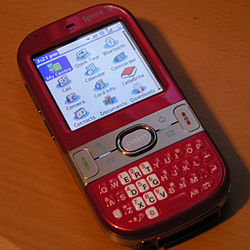
    PalmOS (Kyocera, Visor, Treo):  Allowed a very small segment of people who were very computer literate in the late 90s, to access Web, Email, Calendar, Tasks list and sync them with their desktop computers.   If you were a Realtor you had one of these and loved it because _nothing_ gave you the same functionality in those days.   

    Their devices were very intimidating to non computer literate people.   Palm saw their market as only limited to those comfortable with technology and drove features even further (Windows CE / Mobile hit the scene).   

    IT did finally occur to them in 2007 the "newbie" market may be a big success (Hello iPhone) and tried to retool their devices and marketing (Centro / PalmPre) but was too late.

    Microsoft (Windows CE / Mobile ): Like Palm drove for ever increasingly amount of features trying to appeal to the computer literate, all the while ignoring the "newbie" segment.   As with most, have realized that there is money in limited phone experiences and are pouring tons of cash into "dumbing down" their user experience.   Unfortunately for them trying to "catch down" to iPhone levels is the opposite of what the current market is starting to want.

    RIM (Inter@ctive Pager, Blackberry):  Competitors initally to Motorola in the paging markets and they too created hardware and software for their devices.  They flourished in the "Newbie" market and rode that wave as long as they could.  Unfortunately for them people are driving for more features out of their smartphones and are realizing too late they need to go beyond BBM.  

    They could make a comeback but only if they do it "Motorola Style" by giving up the Mobile OS market and partnering with Android to bring BES, BBM as an integrated experience with their awesome keyboard based hardware.




    Saturday, June 30, 2012

    Apple wakens the sleeping Android giant - Google

    After years of Apple taking legal potshots at various Android device manufacturers for specific devices, they have finally landed a legal success against the mothership Google.  Google is now prevented from selling their very own Android phone (Galaxy Nexus) for the specific reason of having a unified search experience!  No less than a couple of days from their annual marketing blitz surrounding the device and the ecosystem.   Undoubtedly this is going to finally trigger a return fire.

    What can Google return fire with?  Plenty.  For instance they acquired Motorolla Mobility which holds a bunch of very important mobile device patents that Apple has initially been found to be violating.   Google will be forced to become a legal expert now and Im sure this and many future filings from them will sting Apple at its core revenue stream this summer / fall. 

    If Google cannot sell their Android appliances, it will hurt their ego but not dent their revenue.  If Apple cannot sell their iOS devices, they lose almost everything.


    Tuesday, June 19, 2012

    Microsoft Surface PC announced... A third time?

    Yesterday Microsoft announced its new Tablet Surface PC!   Looks pretty nice  and has some interesting input / navigation opportunities.  Havent we seen this before?

    So I have some trivia for you.   What do the following years have in common; 1992, 2002, 2012?   10years?  Not the answer I was looking for....   It is the years in which Microsoft tried pitching the Tablet PC!


    Will the third round be successful this time?  It seems this concept is as tired as the look on Blamer's face introducing it.   If Microsoft pitches the productivity market again it will likely suffer the fate of its two predecessors.  I still firmly believe tablets are only ideal for consumption and Apple currently owns that domain, so this will be a tough market for them yet again.


    2002

    1992


    Change any setting for Mouse / Touchpad / Pointstick / Keyboard in Ubuntu

    For the last couple of years I have been using an IBM Ultranav Keyboard, Logitech Mouse with a laptop that itself has a touchpad / pointstick.  This poses quite a bit of a headache as Ubuntu's gnome settings doesnt quite handle settings for multiple input devices (2 keyboards, 2 pointsticks, 2 touchpads, 1 mouse)

    Here is how to configure any input device in X windows from command line:
    • Get a list of input devices and their ID's:
      • $ xinput list
    • See all of the properties available to a particular device ID
      • $ xinput list-props 14
    • Set property of device by ID (disable input device entirely)
      • $ xinput set-prop 14 'Device Enabled' 0
    And that is all!

    Saturday, June 16, 2012

    First Foray into Balloon Photography

    With the help of my daughter, we managed to build and fly our first photography balloon! 


    I got the idea from reading an blog post months ago about people using balloons to get aerial pictures to enhance maps.  My daughter and I put our heads together and came up with a simple prototype with the materials we had on hand.  I have since found this site that gives a really good overview of a design:  http://publiclaboratory.org/tool/balloon-mapping.

    From the prototype we flew today we discovered the following issues and thus our next design changes:

    • Wind drag - Reduce to just one large balloon as the two were catching turbulence from each other as well as from the wind.   The balloon didnt make it all that high due to it being constantly pushed away from us.
    • Stability issues - Follow the design from the Public Laboratory link to add stability arms and a better center of gravity.
    • String Management - Using a simple spool made it difficult to deploy / retrieve.  Definition going to get a hold of a cable reel.
    • Height - Definitely need more than 200 ft of string to get a better angle on the ground

    Friday, June 8, 2012

    Is this the beginning of the end for the iPhone Fad?

    When it comes to usability, generally everyone would agree Apple has always been the king ranging all the way back to the early 80's.  The iPod turned cellphone -- iPhone seemed to de-throne the Palm Treo as the new king of the smartphone world shortly after its introduction.

    But does usability carry a product long-term for Apple?  The AppleII series, Lisa, Macintosh,  Newton, PowerBook, Quadra, QuickTime, AppleDesktopBus, all products that made a lot of noise when released, some were quite successful, most now hold a minority marketshare if any.

    Now I read that Samsung has now shipped more smartphones than Apple this past quarter, evidence of a profound change in mobile computing again.  Human beings now choose Samsung over Apple smartphones.  Do people really prefer functionality over form long-term?

    Using Apple's product history as a guide, once they lose top marketshare has any Apple products recovered dominance?